Mission trips, without the spreadsheets.
Applications, review, rosters and email for every trip your church runs. Families apply from their phone.
Trusted by missions teams at [Church], [Church] and [Church]



A trip shouldn’t live in four places.
A spreadsheet, paper forms, a sign-up link and an email thread. Forth puts the trip in one place.
Today: Nobody’s sure which roster spreadsheet is current.
With Forth: One roster your whole staff sees, always current.
Today: Waivers sit in a folder in the church office.
With Forth: Waivers are signed inside the application.
Today: You chase parents through reply‑all threads.
With Forth: Every email to families is sent and kept in Forth.
From “I want to go” to wheels up.
Each step picks up where the last one left off. Nothing gets retyped.
Applications that fill themselves in.
Build a form once and use it on any trip. Returning families just confirm their answers.
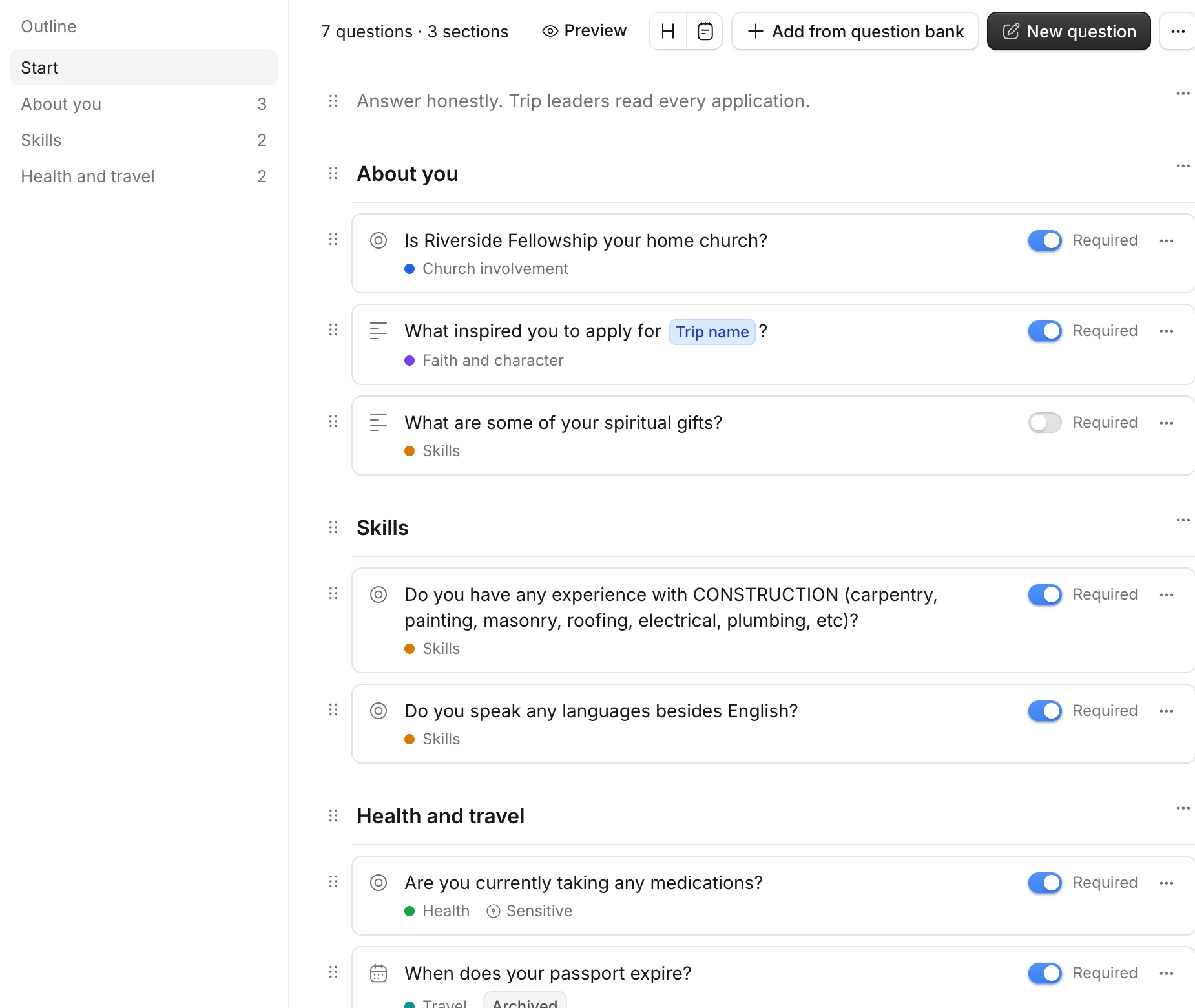
About you
Daniel Kim · Guatemala Spring Build
- Is Riverside Fellowship your home church?
- YesFrom last application
- T-shirt size
- Youth LFrom last application
- Emergency contact
- Rachel Kim · MotherFrom last application
- What inspired you to apply for Guatemala Spring Build?
- Asked fresh for this trip
- One form for many trips
- Sections, a question bank, waivers and signatures. You choose which trips use it.
- Prefilled for returning families
- Answers carry over from their last application. Questions about this trip are asked fresh.
- Made for phones
- Families apply in minutes and can finish later. They can make changes until you lock the application.
Review without the inbox.
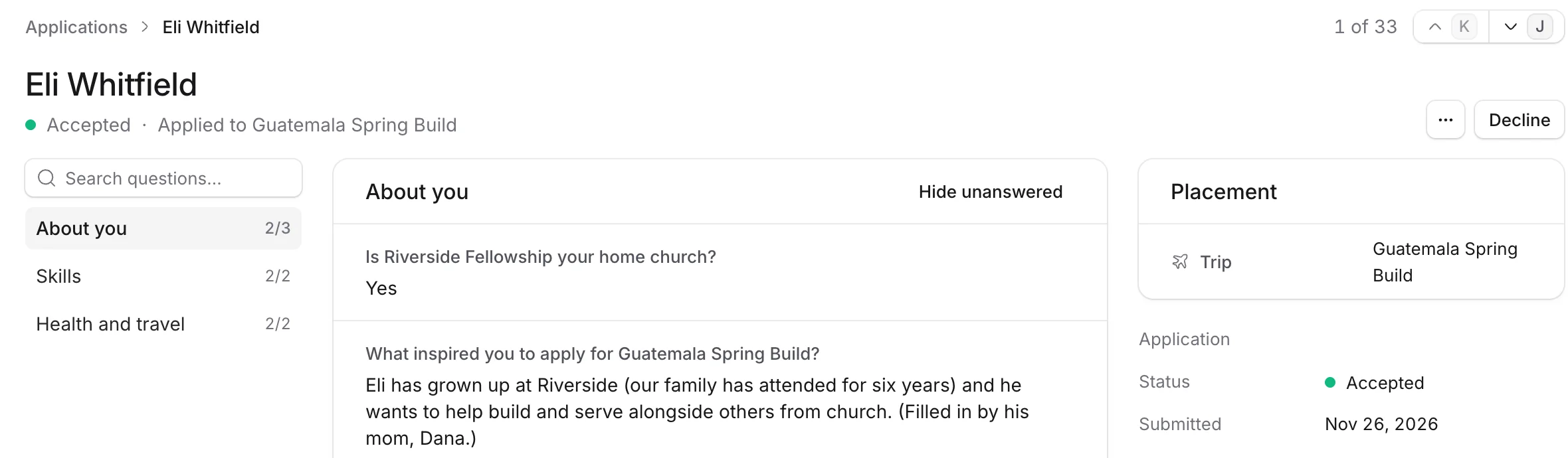
Every application in one list, from New to Accepted.
Automatic emails
Application received
We got {first_name}’s application
Application accepted
{first_name} has a spot on {trip_name}
Application waitlisted
{first_name} is on the waitlist
Application declined
About {first_name}’s application
- Gabriel NguyenParticipant
- Jordan BlakeLeader
- Lily EllisParticipant
- Maya TorresParticipant
- Every answer on one page
- Read the whole application beside its status. Decide, then press J for the next one.
- Accept within capacity
- Accepting adds them to the roster. Forth won’t overbook a full trip.
- Emails that send themselves
- Received, accepted, waitlisted, declined. Each from a template you can edit.
Email the right people.
Write once to the roster. Every family gets their own email.
To Guatemala Spring Build roster
Also sent to Rachel Kim (guardian)
Team meeting for Guatemala Spring Build
Hi Lily, our next team meeting is Sunday, December 6 at 12:30pm in Room 204. Bring your passport, or your renewal receipt.
Replies go to Tomás Rivera.
Recipients (17)
- Ava AndersonSent
- Ana Torres (Maya’s guardian)Sent
- Mia Ortega’s emergency contactSent
- Jordan BlakeSent
- Olivia Quinn’s emergency contactSent
- Karen MillsSent
- Merge fields and templates
- Write
{first_name}once. Save it as a template, attachments and all. - Guardians included, replies to you
- Guardians and emergency contacts come from the roster. Replies go to you, not a no-reply address.
- Kept with the trip
- Every email stays on the trip, with who got it.
The trip at a glance.
Open a trip and see where it stands, without asking anyone.
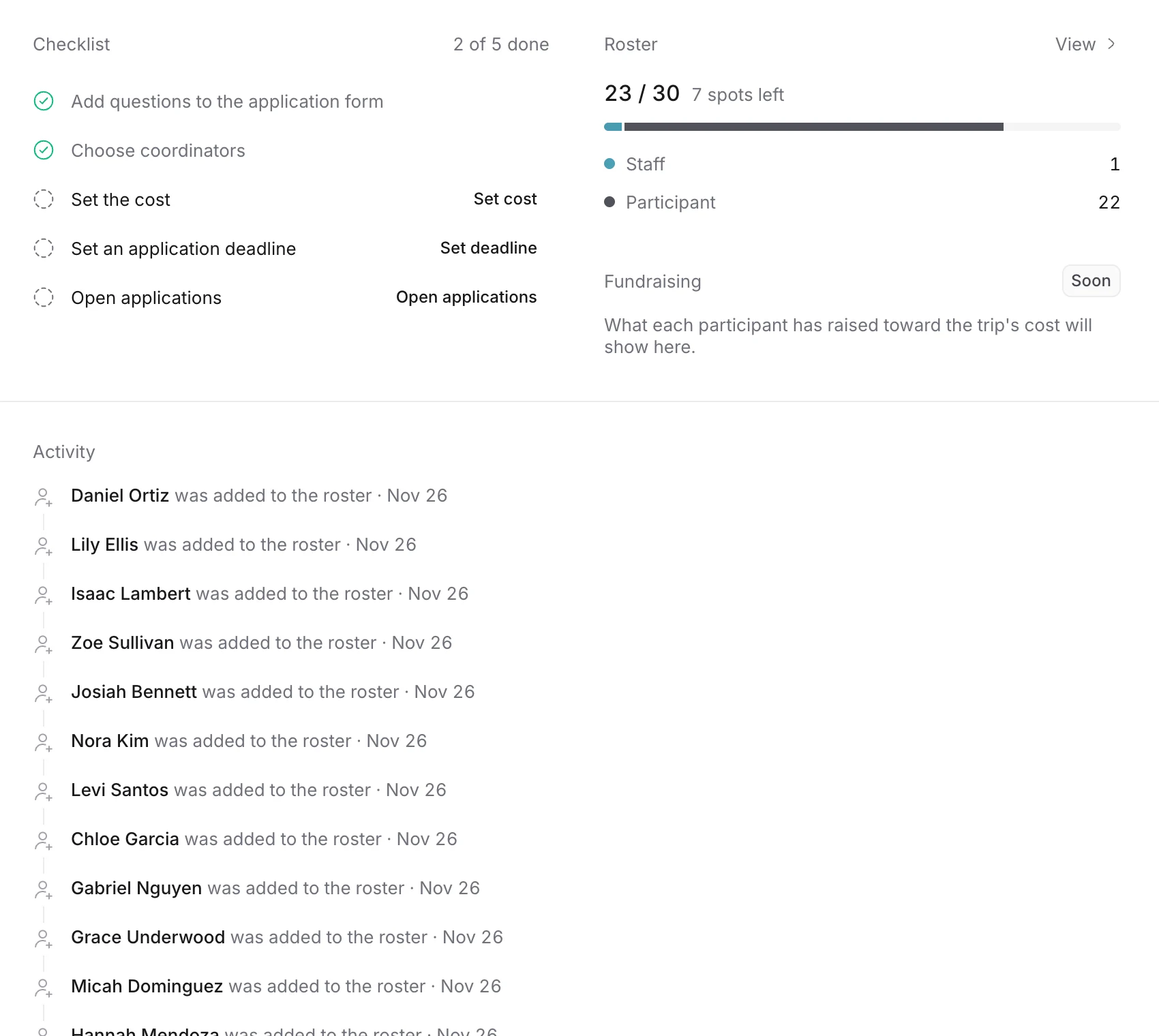
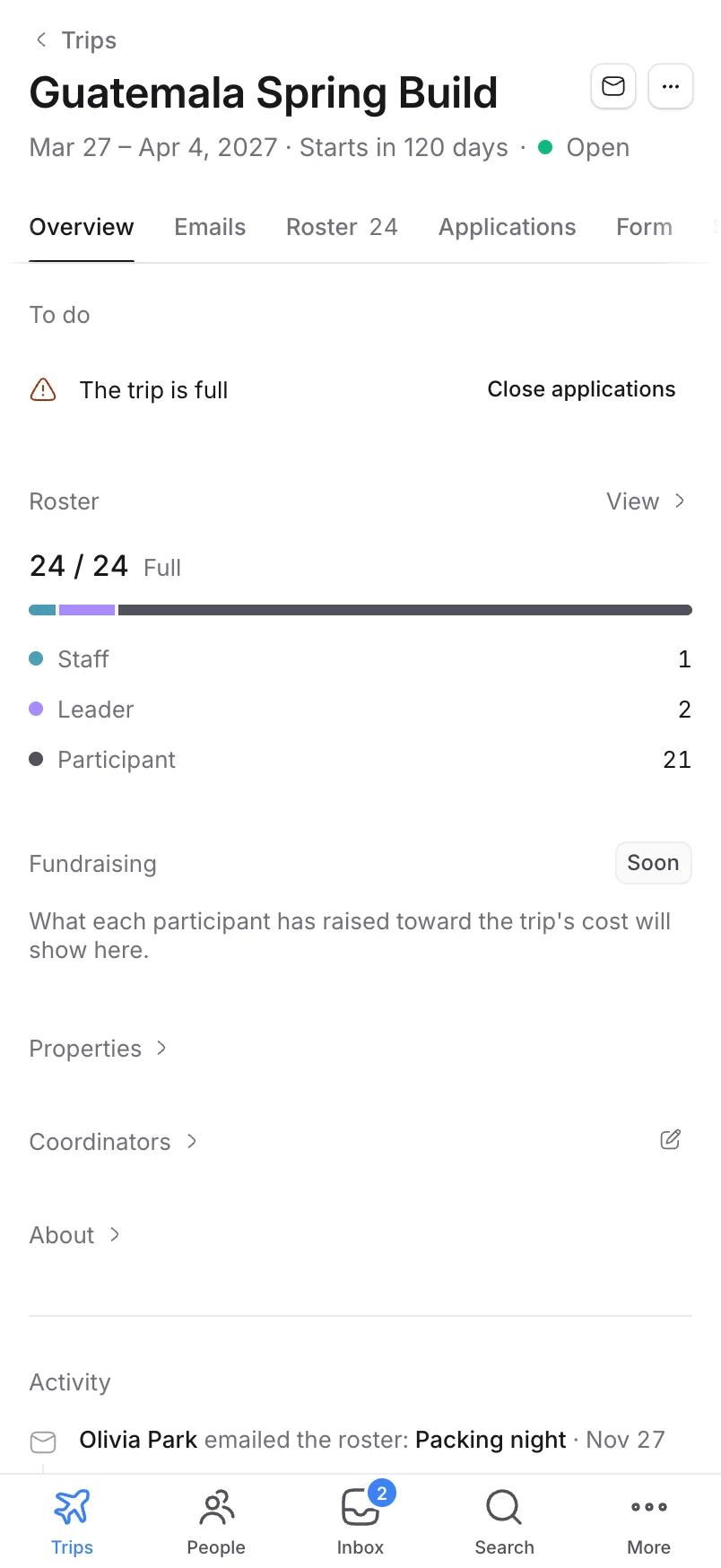
- How full it is
- The roster against capacity, with the waitlist and deadline.
- What’s left to do
- A setup checklist, then only what needs you next.
- Everything that happened
- Every application, decision and email, with who did it and when.
- Who’s on it
- Leaders, chaperones and participants, plus the staff coordinators.
Easy for families, too.
Families sign in with a code from their email. No password.
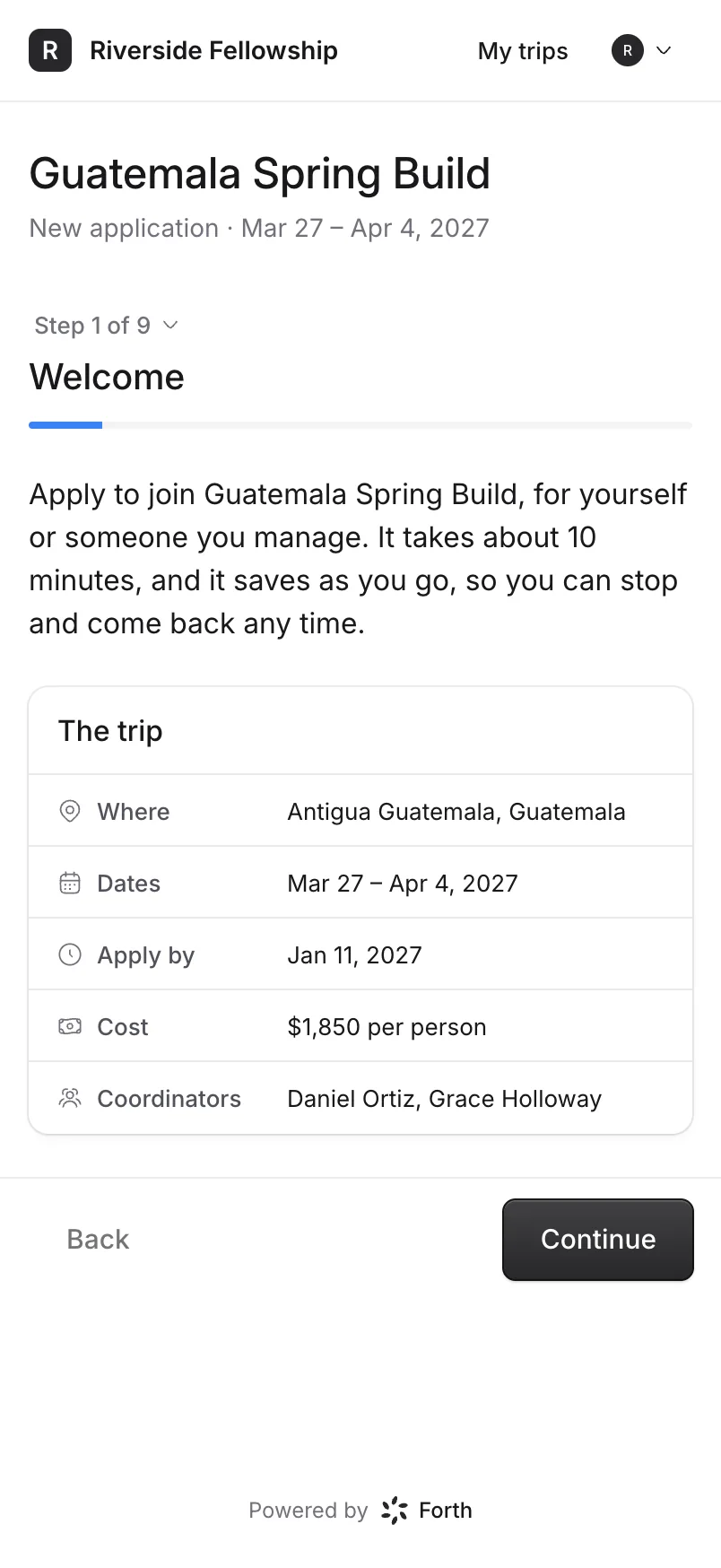
Apply for themselves or their kids.
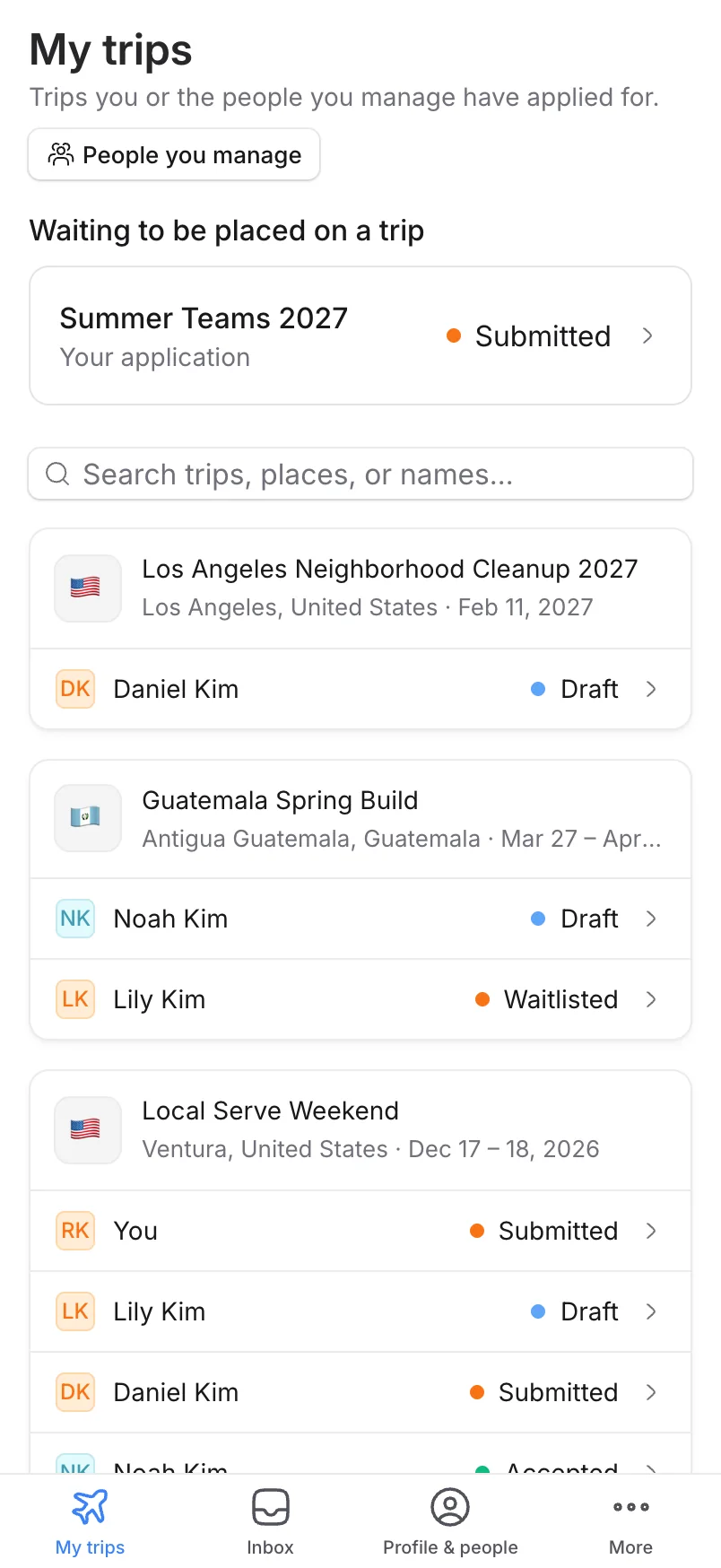
One login for the whole household.
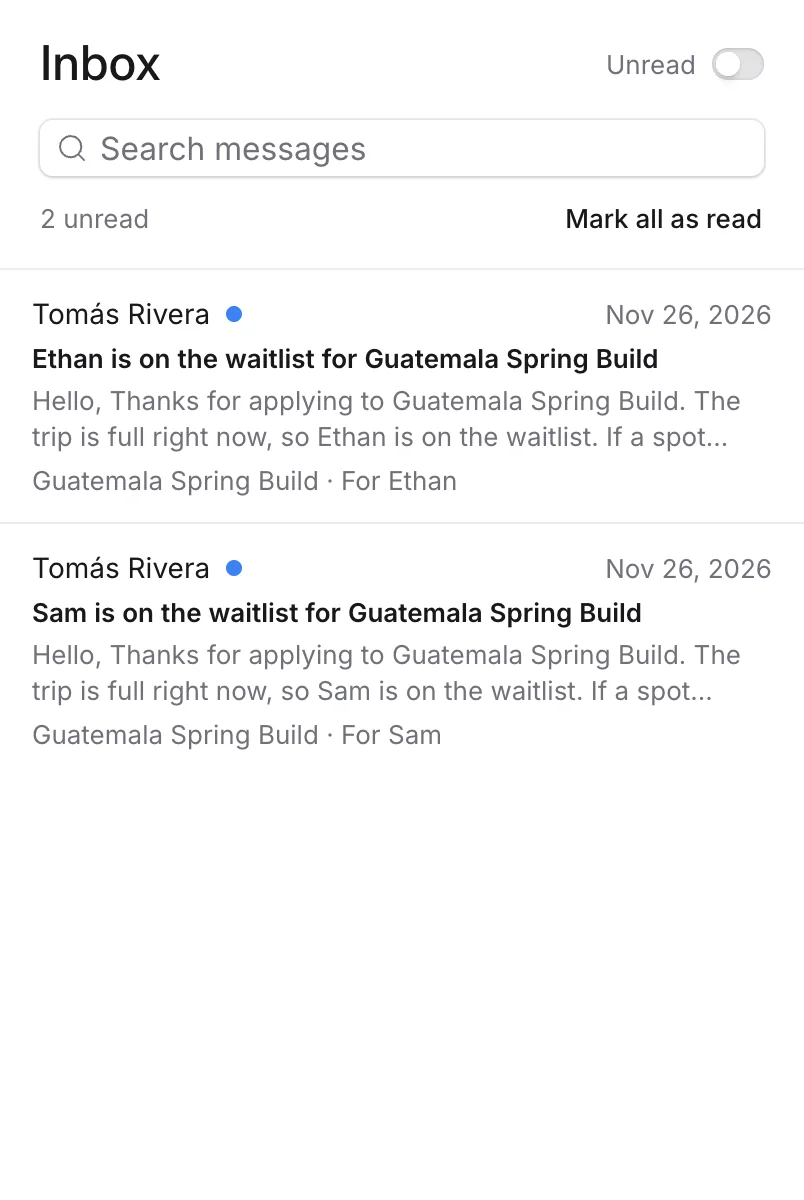
Every trip email, in their own inbox.
Privacy you can explain to your board.
Mission trips mean medical answers, passports and other people’s kids.
- Sensitive answers are encrypted
- Passport numbers and answers you mark Sensitive, encrypted with AES‑256‑GCM and a separate key for each church. They never show in tables, search or exports.
- People see what their role allows
- Each role sets what staff can see and change, down to who can send email.
- Leaders see only their trip
- A volunteer leader sees the trip they lead and nothing else.
- Your data stays yours
- We never sell your church’s data or share it for marketing. [Subprocessor list: TBD]
One plan for your church.
Everything Forth does today is included.
- Applications, form builder and question bank
- Prefilled re‑applications
- Review stages and automatic emails
- Rosters, roles, capacity and waitlists
- Roster email with guardians included
- Family inbox and households
- Encrypted sensitive answers
The Forth plan
[$TBD]/month, [billed annually]
[Trip and staff limits: TBD]
Book a demoSwitching from Managed Missions? Coming soon: we’ll move your trips, people and forms over. [Timing and cost: TBD]
How Forth compares.
| Feature | Forth | Managed Missions |
|---|---|---|
| Price | [$TBD]/month | [verify] |
| Applications and form builder | Yes | [verify] |
| Prefilled re‑applications | Yes | [verify] |
| Application review stages | Yes | [verify] |
| Roster email with guardians | Yes | [verify] |
| Family inbox | Yes | [verify] |
| Encrypted sensitive data | Yes | [verify] |
| Mobile-friendly applying | Yes | [verify] |
| Modern interface | Yes | [verify] |
| Feature | Forth | Managed Missions | ServiceReef | Spreadsheets + forms |
|---|---|---|---|---|
| Price | [$TBD]/month | [verify] | [verify] | [verify] |
| Applications and form builder | Yes | [verify] | [verify] | [verify] |
| Prefilled re‑applications | Yes | [verify] | [verify] | [verify] |
| Application review stages | Yes | [verify] | [verify] | [verify] |
| Roster email with guardians | Yes | [verify] | [verify] | [verify] |
| Family inbox | Yes | [verify] | [verify] | [verify] |
| Encrypted sensitive data | Yes | [verify] | [verify] | [verify] |
| Mobile-friendly applying | Yes | [verify] | [verify] | [verify] |
| Modern interface | Yes | [verify] | [verify] | [verify] |
Questions churches ask.
Anything else? Ask us in a demo.
Can we import our data from Managed Missions?
Not yet. Moving your trips, people and forms over is coming soon. [Timing and details TBD.]
How do parents apply?
From the trip’s link, on a phone or computer. They sign in with a code from their email and can finish later. Returning families start with their last answers.
Who can see medical answers?
Staff whose role allows it, and the leaders of that trip. Answers marked Sensitive are encrypted with your church’s own key and kept out of lists and exports.
Do leaders need a login?
Yes. They sign in with a code sent to their email, no password, and see only the trips they lead.
Can one form serve several trips?
Yes. Build it once and choose which trips use it. Each application keeps the version of the form it was submitted on.
Who do families’ replies go to?
To the staff member who sent the email. Forth sends it in their name, so parents reply to a real person.
What does it cost?
[TBD] One plan for your church, with everything Forth does today.
Is there a contract?
[TBD]

Your next trip, without the spreadsheets.
We’ll show you a trip like yours, from first application to roster email.